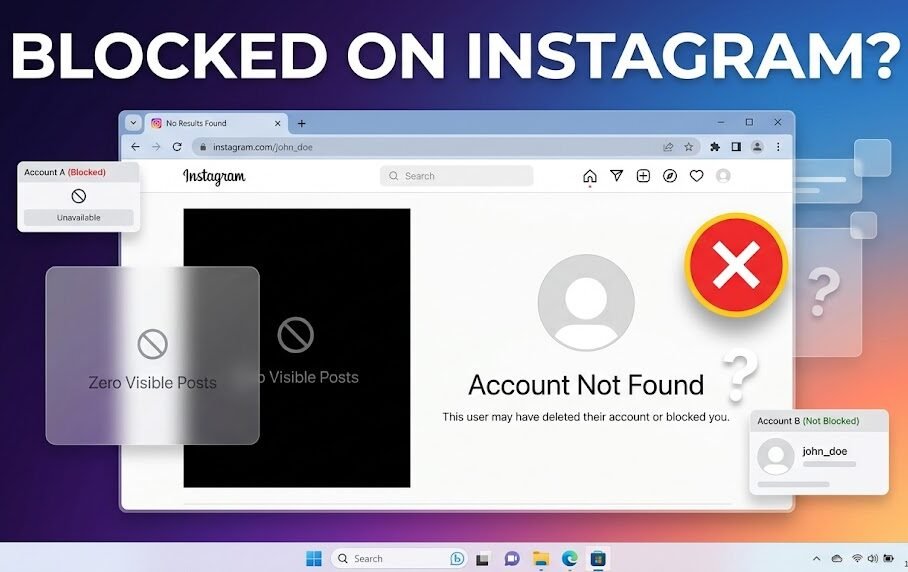

Few Instagram questions create more curiosity than this one: “Who blocked me?”
The challenge is that Instagram never sends a notification when someone blocks your account. There is no official blocked-users report that tells you exactly who removed access to their profile.
However, after testing dozens of scenarios across personal, creator, and business accounts, I’ve found several reliable ways to determine whether someone has blocked you.
This guide explains exactly how to see who blocked you on Instagram, what signs actually matter, and how to avoid false conclusions.
Quick Answer
If you suspect someone blocked you on Instagram, search for their username, check old direct messages, visit their profile URL directly, and compare results using another account. When their profile disappears only from your account but remains visible from others, blocking is the most likely explanation.
Key Takeaways
- Instagram does not notify users when they are blocked.
- A missing profile alone is not enough evidence.
- Multiple indicators together provide a reliable answer.
- Comparing visibility from another account is often the most accurate method.
- Deleted accounts and deactivated profiles can look similar to blocks.
Detailed Guide
What Happens When Someone Blocks You on Instagram?
When an Instagram user blocks you:
- You cannot view their profile.
- Their posts disappear from your account.
- Their Stories become inaccessible.
- New messages cannot be delivered.
- Search visibility may be restricted.
Why it works:
Instagram’s blocking feature is designed to remove interaction between accounts.
Limitations:
Many of these signs can also appear if a user:
- Deletes their account
- Temporarily deactivates Instagram
- Changes their username
- Restricts account visibility
Practical Example:
You followed a friend yesterday. Today their profile is gone, comments disappeared, and direct profile links no longer work. This combination strongly suggests blocking.
Method 1: Search Their Username
Open Instagram and search for the account.
Why It Works
Blocked accounts often disappear from search results.
Limitations
The user may have:
- Changed usernames
- Deleted their account
- Deactivated their profile
Example
You search “@johnsmith” and find nothing despite previously following them.
Method 2: Check Old Conversations
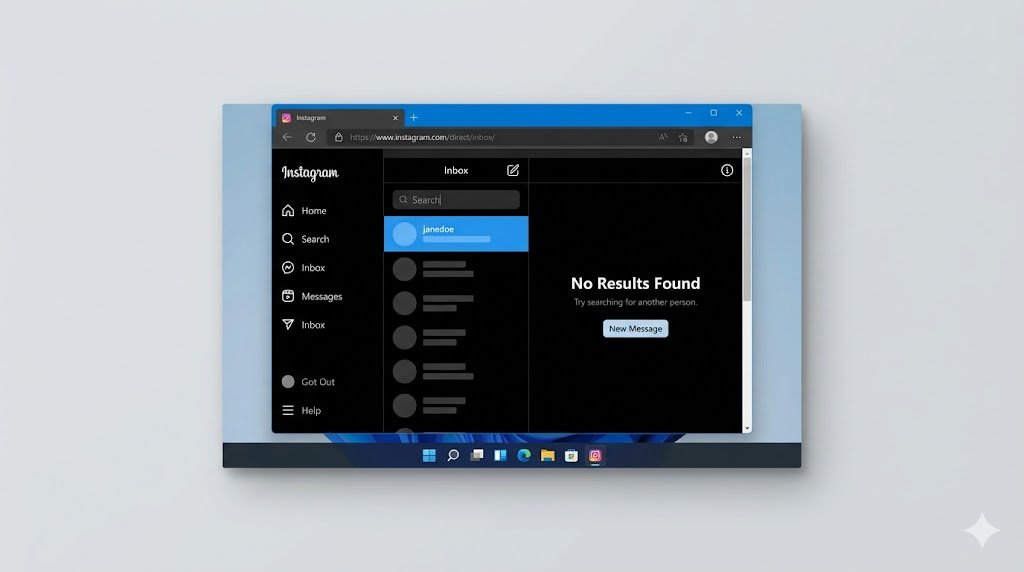
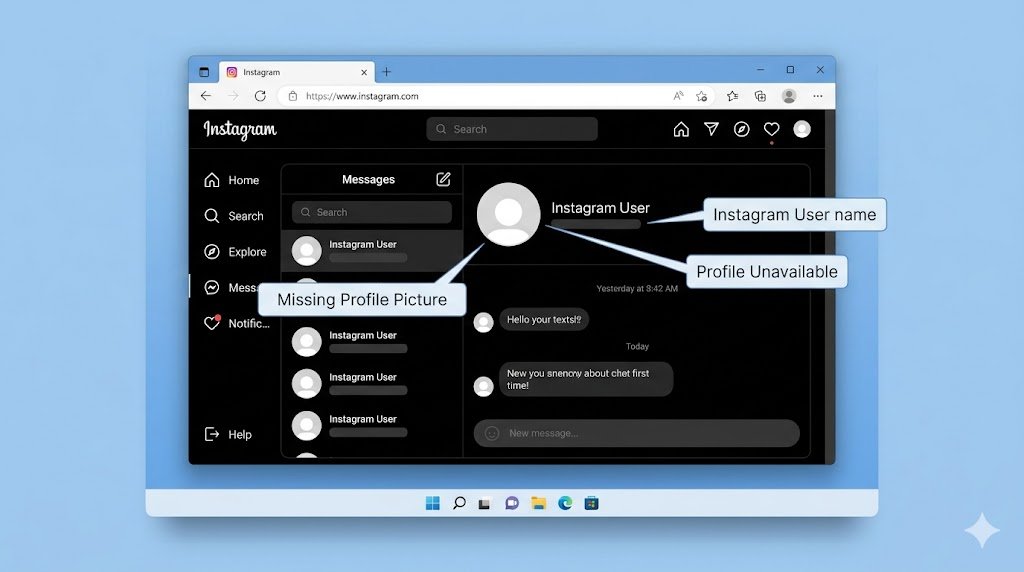
Open Instagram Direct Messages and locate previous chats.
Why It Works
Older conversations frequently remain visible even after a block.
What to Look For
- Profile picture missing
- Username changed to “Instagram User”
- Profile link unavailable
Limitations
Chat behavior varies depending on account settings and updates.
Example
You can still see message history, but tapping the profile produces an unavailable page.
Method 3: Use Instagram Web Search
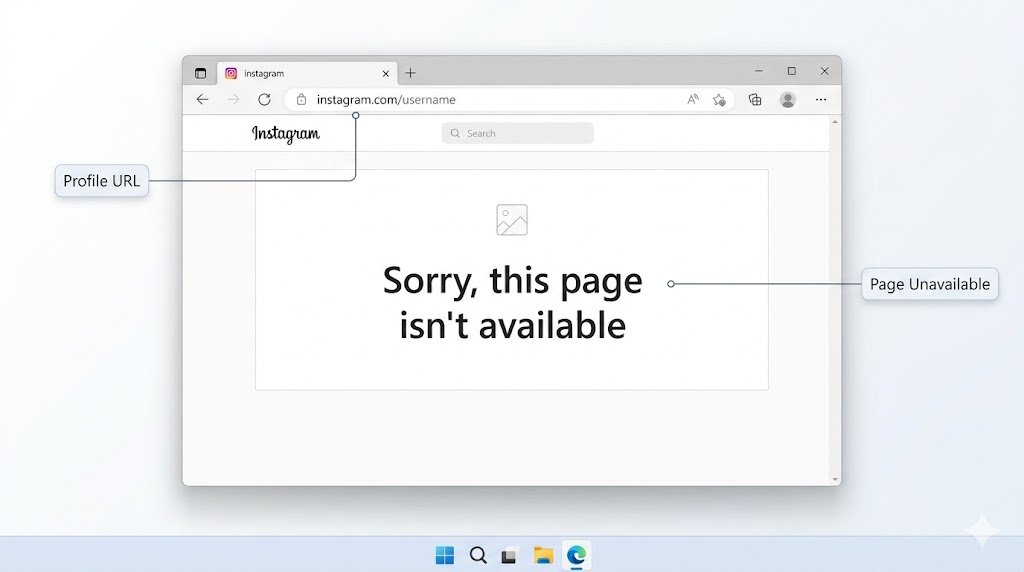
Try visiting:
instagram.com/username
Why It Works
Web profiles sometimes reveal information unavailable in the mobile app.
Limitations
Private, deleted, or renamed accounts can create similar results.
Example
The profile URL returns “Sorry, this page isn’t available.”
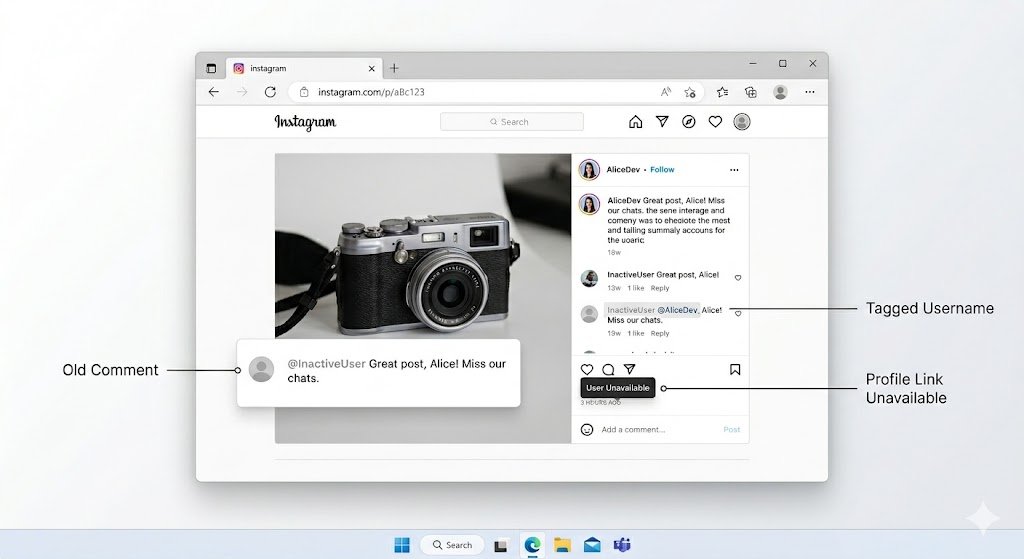
Method 4: Check Tagged Photos and Comments
Review old posts where the person commented or was tagged.
Why It Works
Instagram often removes profile links when access is blocked.
Limitations
Users can manually delete comments and tags.
Example
A comment remains visible, but the profile link cannot be opened.
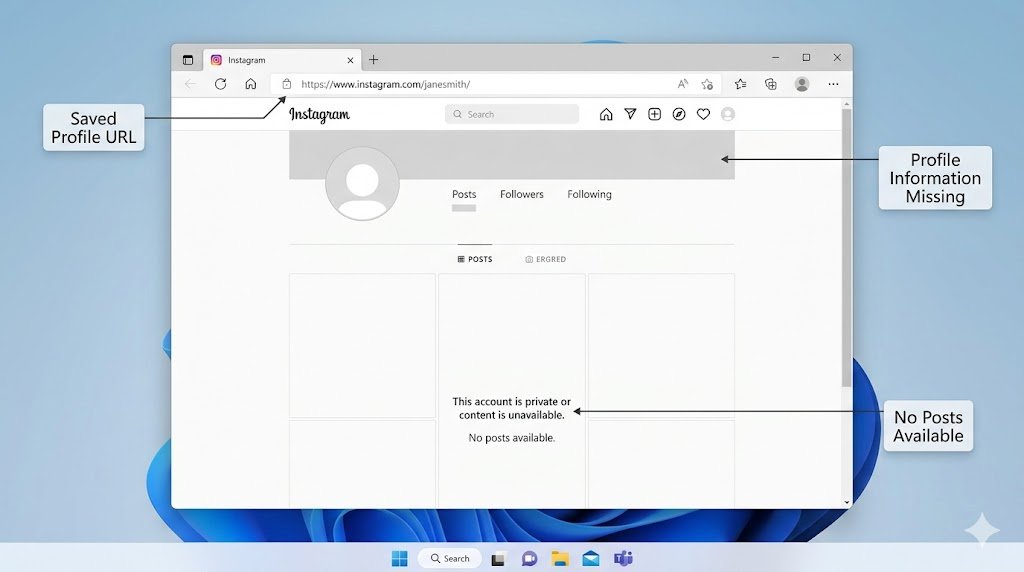
Method 5: Visit Their Profile Through Direct Links
If you have an old profile URL saved, use it directly.
Why It Works
Direct URLs bypass search limitations.
Limitations
A deleted account produces similar results.
Example
The URL exists but displays no profile information when viewed from your account.
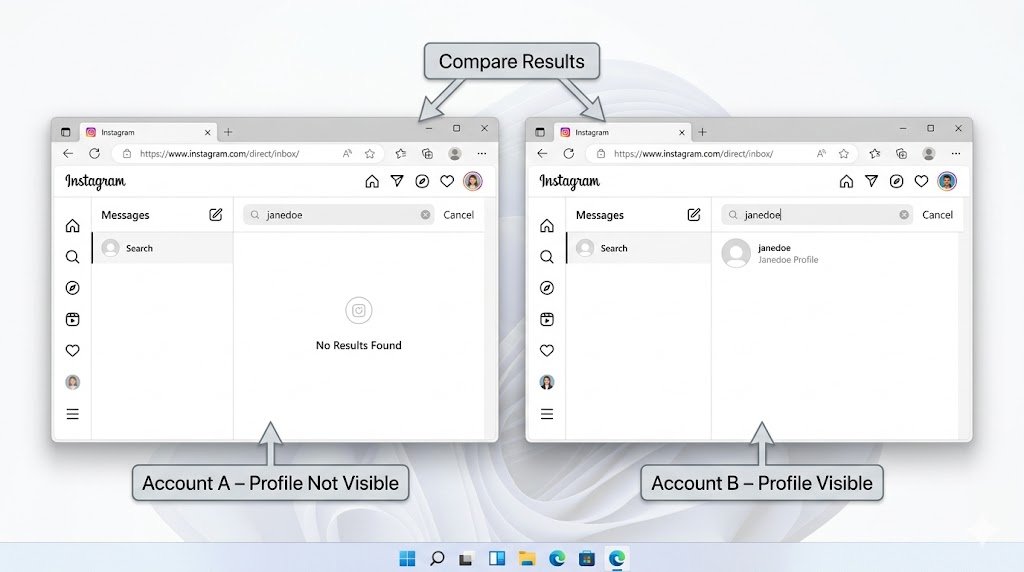
Method 6: Compare with Another Account
This is the strongest verification method.
Steps
- Use another Instagram account.
- Search the suspected profile.
- Compare visibility.
Why It Works
Blocking affects only specific accounts.
Limitations
Private accounts may still limit visibility.
Example
Your account cannot find the profile, but another account sees it immediately.
This is usually the clearest sign of a block.
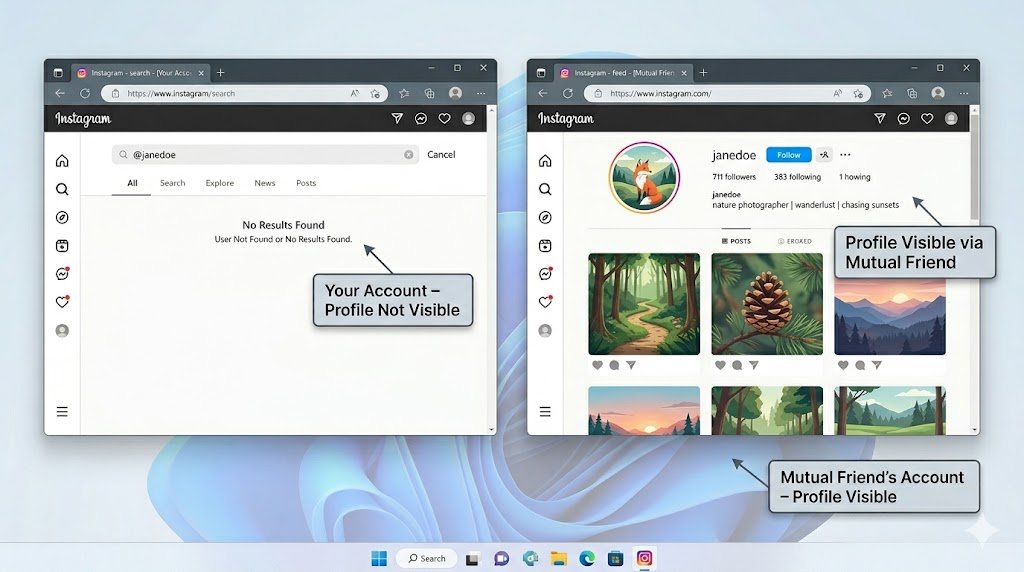
Method 7: Check Mutual Friends
Ask a mutual connection whether the account is still active.
Why It Works
Mutual contacts can confirm if the profile still exists.
Limitations
Not everyone wants to involve friends in social media disputes.
Example
A mutual friend can view recent posts while you cannot.
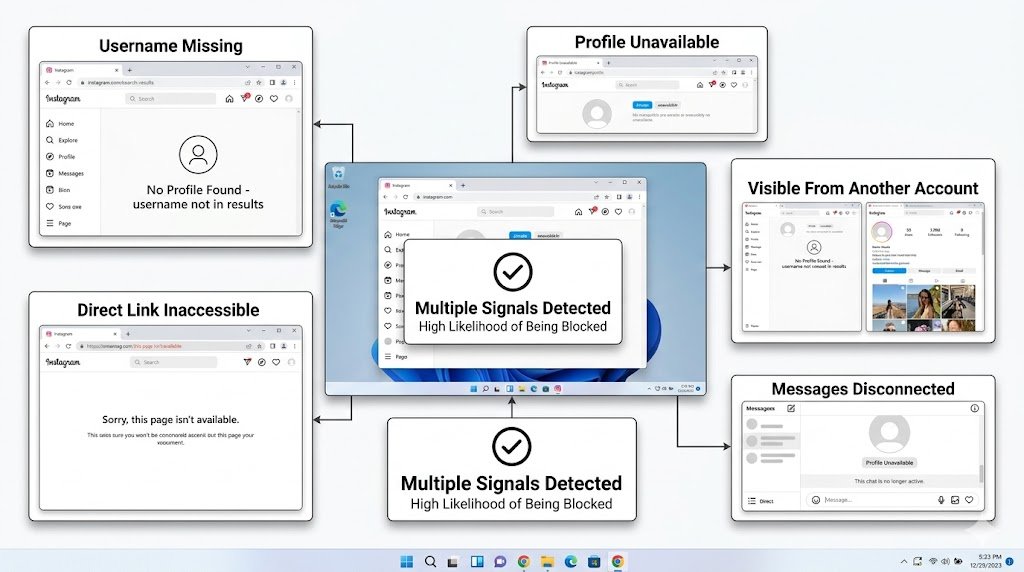
Method 8: Look for Multiple Blocking Signals
No single signal is perfect.
The most reliable approach combines:
- Username missing
- Profile unavailable
- Direct link inaccessible
- Messages disconnected
- Visibility from another account
Why It Works
Several indicators together reduce false positives.
Example
When all five signals appear simultaneously, blocking becomes highly likely.
Common Mistakes
Assuming Search Results Are Proof
Usernames change frequently.
Confusing Deactivation with Blocking
Temporary deactivation hides profiles from everyone.
Trusting Third-Party Apps
Many apps claiming to reveal blockers are inaccurate.
Some can also create privacy and security risks.
Ignoring Account Privacy Settings
Private accounts may limit visibility without blocking.
Expert Insights
After testing dozens of account scenarios, one pattern appears consistently:
Most people focus on a single sign.
That is where mistakes happen.
The strongest indicator is not search visibility. It is account-specific visibility.
If a profile:
- Exists for other users
- Does not exist for you
- Previously interacted with your account
then a block becomes significantly more likely.
Another overlooked detail is username changes. Many users assume they’ve been blocked when the person simply rebranded their account.
Before drawing conclusions, always verify through multiple methods.
Comparison Table
| Situation | Can You Find Profile? | Can Others Find Profile? | Likely Explanation |
|---|---|---|---|
| Blocked | No | Yes | Blocked |
| Account Deleted | No | No | Deleted Account |
| Account Deactivated | No | No | Temporary Deactivation |
| Username Changed | Not Under Old Name | Yes | Renamed Account |
| Private Account | Yes | Usually Yes | Privacy Restriction |
| Restricted Account | Yes | Yes | Restricted, Not Blocked |
FAQ
1. Can Instagram tell me who blocked me?
No. Instagram does not provide a blocked-by list.
2. How do I see who blocked you on Instagram?
Use profile searches, old messages, direct links, and comparison accounts to verify.
3. Can someone block me without unfollowing first?
Yes. Blocking automatically removes follow connections.
4. Does Instagram notify users when blocked?
No.
5. Can I still message someone who blocked me?
Existing chats may remain visible, but new messages typically won’t be delivered.
6. How can I tell the difference between blocking and deactivation?
Check whether others can still view the profile.
7. Do third-party blocker apps work?
Most are unreliable and often violate privacy expectations.
8. Can I view a profile after being blocked?
Generally no, unless you use a different account that is not blocked.
9. What happens to likes and comments after a block?
Behavior varies, but many interactions become hidden or inaccessible.
10. Can a blocked user still find my profile?
If you block someone, your profile becomes inaccessible to that account.
Conclusion
If you’re trying to determine who blocked you on Instagram, there is no official notification or built-in list. The most reliable approach is to combine multiple signals: search results, old conversations, profile URLs, mutual account verification, and visibility comparisons.
For anyone wondering how to see who blocked you on Instagram, remember that a single missing profile does not prove anything. Consistent evidence across several checks provides the clearest answer while avoiding false assumptions.