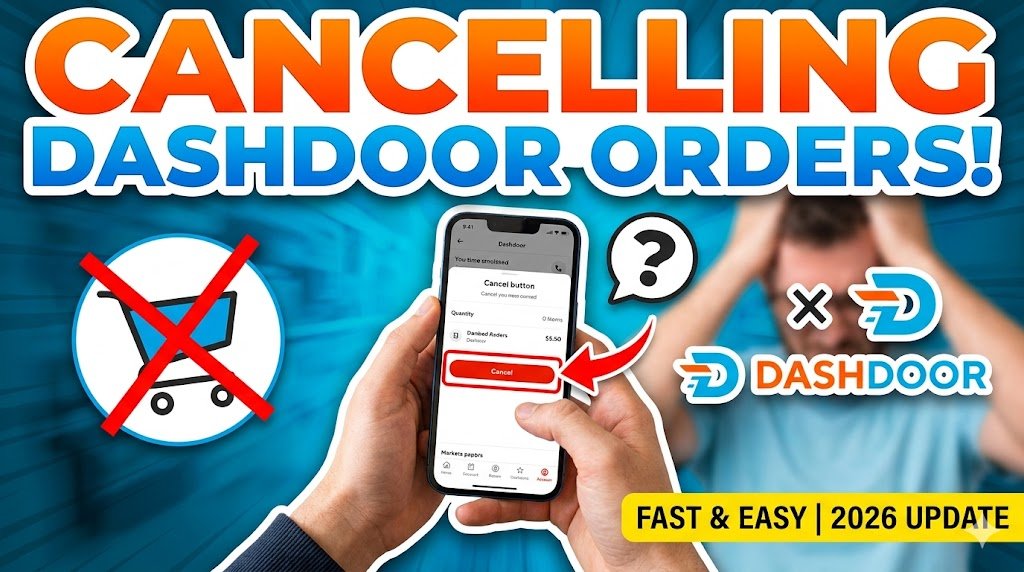

Ever ordered food and instantly regretted it? Maybe you chose the wrong dish, entered the wrong address, or simply changed your mind.
Here’s the truth: when it comes to how to cancel DoorDash orders, timing is everything. Wait too long, and your refund can drop from full → partial → nothing.
In this complete guide, you’ll learn exactly how to cancel an order on DoorDash — and how to maximize your refund before it’s too late.
⚡ Quick Answer: How To Cancel DoorDash Orders
- Open the DoorDash app or website
- Go to Orders
- Select your active order
- Tap Help → Cancel Order
- Confirm cancellation
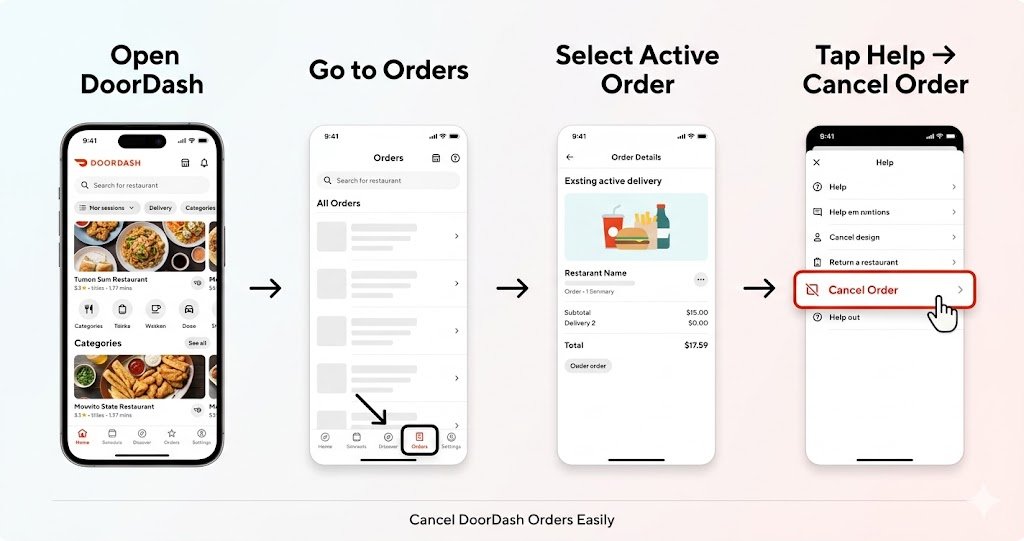
👉 Act fast — your refund depends on how early you cancel.
💰 DoorDash Refund Rules Explained (IMPORTANT)
Most people don’t realize this, but DoorDash refunds are based on order progress — not just your reason.
✅ 1. Full Refund (Best Case)
You’ll get a 100% refund if:
- The restaurant hasn’t confirmed your order yet
- You cancel within seconds/minutes
Example:
You accidentally order the wrong item and cancel immediately → Full refund ✔️
⚠️ 2. Partial Refund
You’ll get a partial refund if:
- The restaurant has already started preparing the food
- A driver may or may not be assigned
Example:
You cancel after 5–10 minutes → You might lose delivery or service fees
❌ 3. No Refund
You’ll likely get no refund if:
- The driver has picked up the food
- The order is already on the way
Example:
You cancel when the driver is near your house → No refund ❌
👉 Warning: Time matters more than anything. Even a delay of 2–3 minutes can affect your refund.
📱 How To Cancel DoorDash Orders on Mobile (Step-by-Step)
Follow these simple steps:
- Open the DoorDash app
- Tap the Orders tab at the bottom
- Select your current order
- Tap Help (top-right corner)
- Choose Cancel Order
- Select a reason (optional)
- Tap Confirm Cancellation
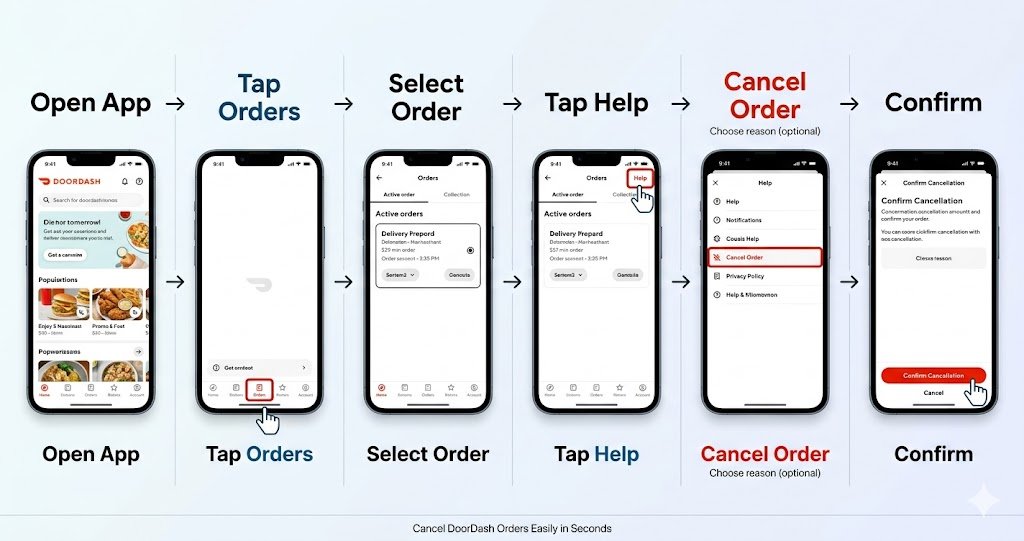
👉 You’ll instantly see your refund eligibility before final confirmation.
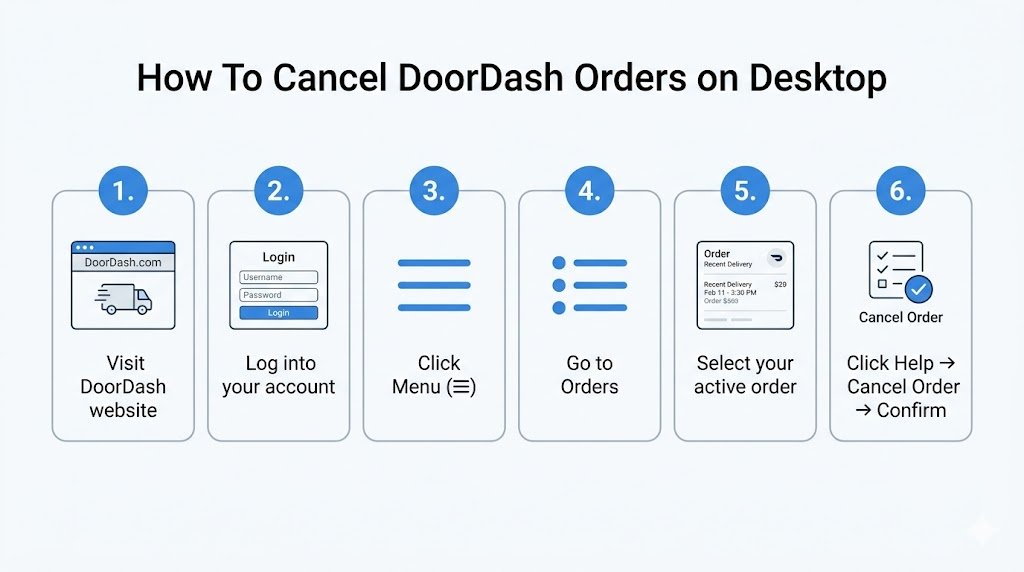
💻 How To Cancel DoorDash Orders on Desktop
Using a laptop or PC? Here’s how:
- Visit the DoorDash website
- Log into your account
- Click on the Menu (☰)
- Go to Orders
- Select your active order
- Click Help → Cancel Order
- Confirm your cancellation
📊 Refund Policy Breakdown
| Order Stage | Refund Type |
|---|---|
| Before confirmation | Full |
| After confirmation | Partial |
| After pickup | No |
⚠️ Common Mistakes to Avoid
Avoid these errors if you want your money back:
- ❌ Cancelling too late
→ Even a few minutes delay can reduce refund - ❌ Ignoring refund message
→ Always check what DoorDash shows before confirming - ❌ Not contacting support
→ Sometimes support can help you recover partial losses
💡 Pro Tips to Get Maximum Refund
Here’s what experienced users do:
- ⚡ Cancel within seconds of placing the order
- 📞 Contact support immediately if unsure
- 💳 Choose DoorDash credits for faster refunds
- 🔔 Keep notifications ON to track order status
👉 Pro tip: Credits are usually processed faster than bank refunds.
❓ Frequently Asked Questions
1. Can I cancel after a driver is assigned?
Yes, but you’ll likely get only a partial refund depending on timing.
2. How long does a DoorDash refund take?
- Credits: Instant or within hours
- Bank/Card: 3–7 business days
3. What if the restaurant cancels my order?
You’ll get a full refund automatically — no action needed.
4. Can I cancel after food is picked up?
Technically yes, but you won’t get a refund.
5. Can I talk to support for a refund?
Yes. Go to Help → Chat Support. Sometimes they may offer compensation.
6. Will I be charged a cancellation fee?
Not directly — but you may lose part of your payment depending on order stage.
🔚 Conclusion
Cancelling a DoorDash order is easy — but getting your full refund is the real challenge.
Here’s the bottom line:
- Cancel immediately for full refund
- Wait a bit → partial refund
- Wait too long → no refund
Most people lose money simply because they wait too long.
👉 So next time you place an order and change your mind — act fast and cancel smart.