
Already bought PC Matic but now stuck thinking “what next?”
You’re not alone. Many users purchase the subscription… and then get confused about where to download, how to install, or how to activate it.
The good news? It’s actually very simple once you follow the right steps. Let’s walk through it together.
Quick Answer (Featured Snippet)
To install, download & activate PC Matic already purchased:
- Log in to your PC Matic account
- Download the installer from your dashboard
- Run the setup file and install
- Open the app and log in to activate
👉 Your subscription activates automatically after login.
What You Need Before Starting
Before you begin, make sure you have:
- ✅ The email used during purchase
- ✅ Your PC Matic account password
- ✅ A stable internet connection
- ✅ Admin access on your computer
👉 Tip: If you forgot your login, use the “Forgot Password” option first.
How to Download PC Matic (Step-by-Step)
If you’ve already purchased, you don’t need to buy again.
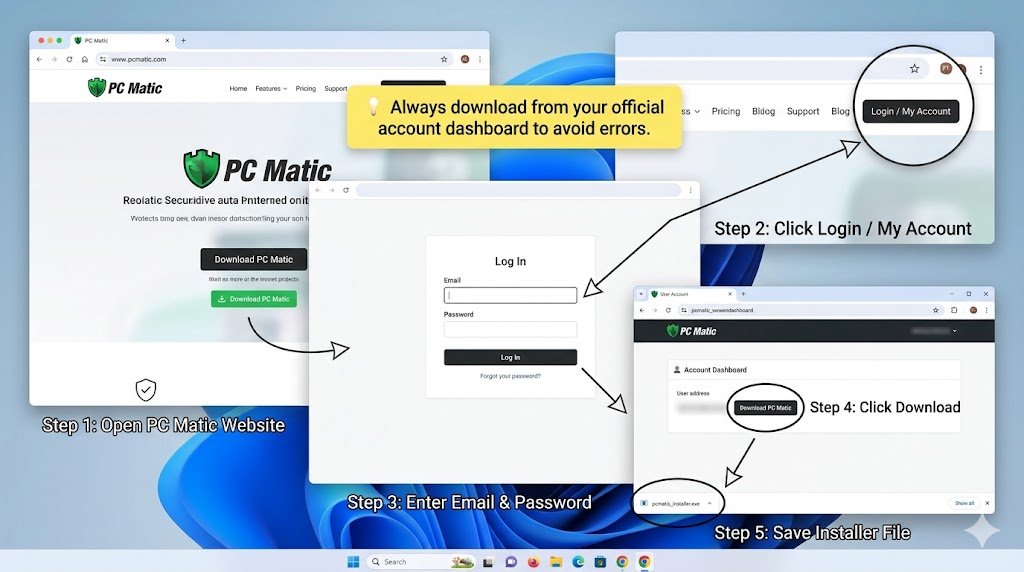
Follow these steps:
- Go to the official PC Matic website
- Click on Login / My Account
- Enter your email and password
- Once logged in, go to your dashboard
- Click Download PC Matic
- Save the installer file on your computer
👉 This is where most people get confused — always download from your account, not random links.
How to Install PC Matic
Once downloaded, installation takes just a few minutes.
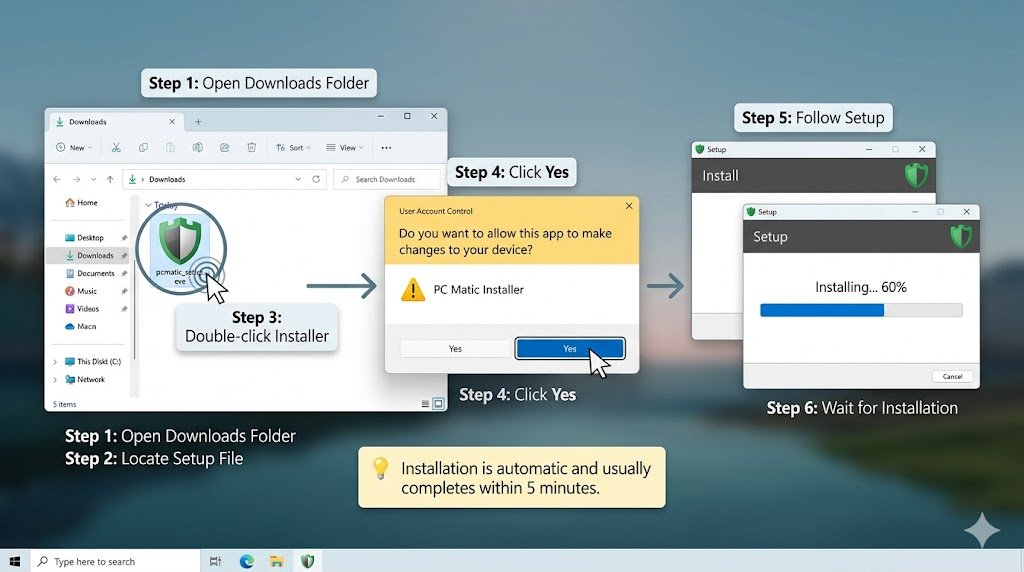
Steps:
- Locate the downloaded file (usually in Downloads folder)
- Double-click the setup file
- Click Yes when prompted
- Follow on-screen instructions
- Wait for installation to complete
👉 In most cases, installation is automatic and takes under 5 minutes.
How to Activate PC Matic
This is the easiest part.
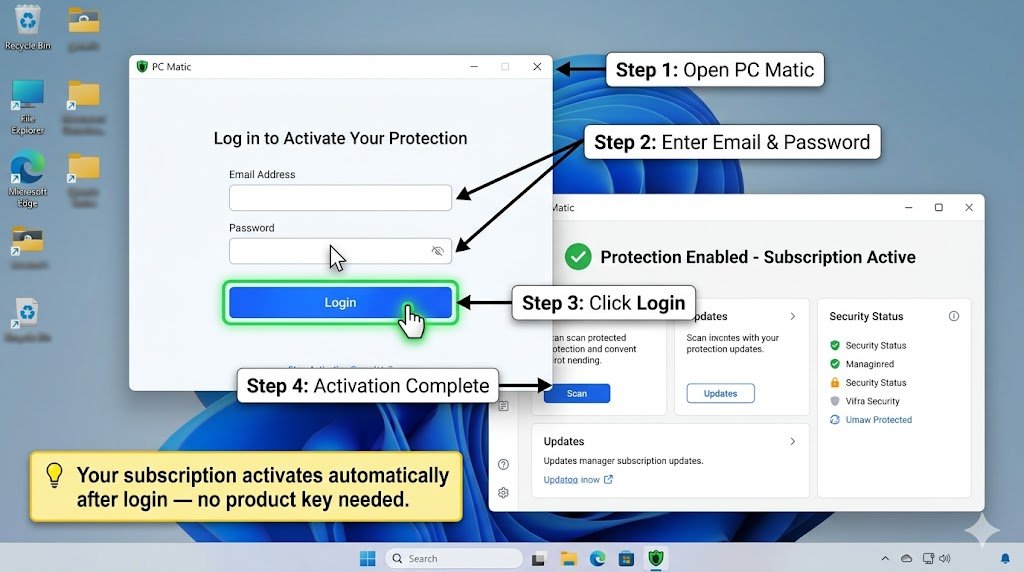
Steps to activate:
- Open PC Matic after installation
- Enter your login credentials
- Click Login
- Your subscription will activate instantly
👉 No license key needed in most cases—your account handles activation.
Common Problems & Fixes
❌ Login Not Working
👉 This usually happens when:
- Wrong email used
- Password forgotten
✔ Fix:
- Try all email IDs you use
- Reset password
❌ Activation Failed
👉 Possible reasons:
- Internet issue
- Wrong account
- Subscription expired
✔ Fix:
- Check internet connection
- Verify purchase email
- Log out and log back in
❌ Download Issue
👉 Common causes:
- Browser blocking download
- Antivirus interference
✔ Fix:
- Try another browser
- Disable antivirus temporarily
- Download again from official dashboard
Pro Tips (Insider Insights)
💡 Always use the same email you purchased with
This avoids 90% of activation issues
💡 Don’t download from third-party sites
You may get outdated or unsafe versions
💡 Install on multiple devices (if plan allows)
Check your subscription limit in dashboard
💡 Restart your PC after installation
Helps ensure everything runs smoothly
💡 Check subscription status inside dashboard
If activation fails, this is the first place to verify
FAQs
1. How do I install PC Matic already purchased?
Log in to your account, download the installer, run it, and log in to activate.
2. Do I need a license key for PC Matic?
No. Activation is usually done through your login credentials.
3. Why can’t I download PC Matic?
You may not be logged in or your browser is blocking the download.
4. Can I install PC Matic on another computer?
Yes, if your subscription supports multiple devices.
5. What if I forgot my PC Matic login?
Use the password reset option on the login page.
6. How long does installation take?
Typically 3–5 minutes depending on your system.
7. Why is PC Matic not activating?
Most likely due to wrong login details or inactive subscription.
Visual Strategy (For Better Engagement)
Add these images to boost SEO and clarity:
- 🖼️ PC Matic login screen
- 🖼️ Download dashboard page
- 🖼️ Installation setup window
- 🖼️ Activation/login screen
Alt Text Suggestions:
- “download PC Matic existing account dashboard”
- “install PC Matic setup screen Windows”
- “activate PC Matic subscription login screen”
Final Thoughts
Installing PC Matic after purchase is simple—you just need the right flow:
Login → Download → Install → Activate
In most cases I’ve seen, issues happen due to wrong login email or downloading from the wrong place.